
Guides
Garage door service software worth a trial: five options and how to score them
A practical guide to trying garage door service software, covering scoring criteria, a two-week test protocol, access rules and record-keeping needs.
What to take away
- Five products carry most of this tradeJobber, ServiceTitan, Housecall Pro, FieldEdge and Workiz. Each is built for a different size of shop.
- Jobber and Housecall Pro suit one to five trucks. ServiceTitan and FieldEdge suit larger fleets with commercial contracts.
- Workiz sits between them, with dispatch and calling tools priced for a small crew.
- Every one of them will store door history and photos. What separates them is how they behave when a technician has one bar of signal.
- Run any trial with your own jobs and your own technicians. A vendor demonstration answers a different question.
The five worth trialling
Jobber. Built for service trades with small crews, and the easiest of the five to start on. Quotes, scheduling, invoicing and card payments sit in one app, and it handles the quote-to-invoice path a residential door shop runs every day.
It suits a one to five truck operation that wants records without a training week.
Pricing is per user per month on published tiers, with a cheaper tier that caps users.
Housecall Pro. Similar size of customer, stronger on customer communication. Automated texts when a technician is on the way, review requests after the job, and a consumer-facing booking page. It suits a shop that loses work to missed calls and wants the office quieter. Pricing is tiered per user, with add-ons for extra features.
Workiz. Dispatch-led, with a phone system built in, so calls and job records sit together. It suits a shop where one dispatcher juggles calls and scheduling all day. Pricing is per user with tiers, and the phone features are the reason to pick it over the two above.
ServiceTitan. The heaviest of the five and built for larger contractors. It carries dispatch, price books, memberships, marketing and reporting in one system, and it will model a commercial property with many doors.
It suits shops with ten or more trucks and someone whose job is running the software. Pricing is quoted per business, not published, and implementation takes weeks rather than days.
FieldEdge. Trade-specific and strong on parts and inventory, which matters when a truck carries springs, drums, cables and rollers. It suits a shop that loses margin to parts it cannot account for. Pricing is quoted per business.
Two more worth a look if none of the above fits: Service Fusion for unlimited users on a flat tier, and Kickserv for the cheapest entry into scheduling and invoicing.
What to score them on
| # | Requirement | The test |
|---|---|---|
| 1 | Works on a phone with poor or no signal | Complete a full job record in a closed garage |
| 2 | Holds equipment history per door, not just per customer | Retrieve last year's visit to a specific door in under a minute |
| 3 | Attaches photographs to the job, permanently | Confirm where they are stored and who owns them |
| 4 | Tracks parts to the vehicle they came from | Produce a restock list for one van from yesterday's jobs |
| 5 | Supports dispatch by who is signed off for what | Try to assign a job to someone unqualified and see what happens |
| 6 | Exports everything, including attachments | Run the export in the trial, not at renewal |
| 7 | Controls access per person and removes it cleanly | Add a user, restrict them, then remove them |
| 8 | Models one property with many doors | Build a commercial account with a dozen doors on it |
| 9 | Total cost that is legible a year out | Ask what changes when you add a user, a vehicle, or a year |
Weight them for your shop. A repair-led single-vehicle business cares most about 1, 2, 3 and 6. A shop with commercial contracts cannot ignore 8.
Why signal beats every feature list
Most of this work happens inside a garage, often with the door closed and a phone with one bar. A system that needs a connection to save a record produces records written later from memory, which are worth much less and are sometimes wrong. Test it in the worst place you work, not in the office.
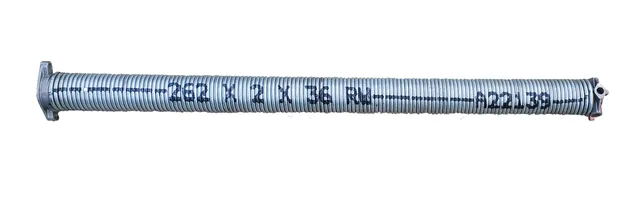
Door-level history comes next for a trade reason. Counterbalance components are matched to the individual door, so a history that identifies the equipment is what lets the second visit arrive with the right part. The stock reasoning behind that is in the equipment and setup guide.
The two-week trial protocol
- Pick two technicians, one enthusiastic about the change and one not.
- Run every job through both the new system and your existing method for ten working days.
- Do not clean anything up afterward. Compare the records as they were actually completed on site.
- Count how many records were finished before leaving the driveway, per person.
- Try to answer three real questions from the new systemwhat did we do to this door last time, what parts left this van yesterday, and what did we quote on this job.
- Run the export on the final day and open the file.
The reluctant technician is the important half of the trial. A system that only works for people who like it will not survive your next hire.
Two-Week Trial Protocol
- Pick two technicians, one enthusiastic and one not
- Run every job through both systems for ten days
- Do not clean anything up afterward
- Count records finished before leaving the driveway
- Answer three real questions from the new system
- Run the export on the final day and open it
Scoring, and the conversation afterward
Score each requirement out of five with a written note. Then hold one conversation with the people who used it, structured around a single question: what did you stop recording, and why? The answers point at friction that will not go away, and friction is what erodes any system in month three.
If the honest answer is that no candidate beats the spreadsheet you have, that is a legitimate outcome. Systems earn their place when more than one person needs the same information at once; before that point, a simpler arrangement often wins.
Access, security, and the customer list
Any system holding addresses, access notes and schedules is holding sensitive information about when people are away from home. Two federal resources are written for businesses this size and are worth reading before you sign anything: the NIST small business cybersecurity quick-start guides and the CISA guidance for small and medium businesses.
Four practices to establish on day one: multi-factor authentication for everyone, access limited to what each role needs, a documented process to remove access when someone leaves, and a backup you have actually restored from once.
What the system has to keep for other reasons
Whatever you choose must support your record-keeping needs. The IRS overview of records a business should keep describes them.
It must also hold the evidence your obligations require. Those obligations are set out in the licensing and compliance guide. It must hold sign-off records that determine who can be dispatched to what, from the hiring and training guide.
If the system also handles customer communication, quotes and review requests, then it is part of how the business presents itself and belongs in the thinking set out in the marketing and growth guide. What to measure once the records exist is covered in the software and KPI guide.
Common questions
Which of the five is best for a one-truck shop?
Jobber or Housecall Pro. Both start on published per-user tiers, both handle quotes and invoicing from a phone, and neither needs an implementation project. Workiz is the third option if you want the phone system and dispatch in the same app.
Is free software good enough to start?
Often, for one vehicle. The scoring table applies regardless, and requirement 6 matters most: whatever you start with, be able to leave it with your history intact.
How long should a trial run?
Long enough to include a bad day. Two working weeks usually contains one, and a system that handles a normal Tuesday and fails on a chaotic Friday is not a system.
What if the team resists it?
Find out precisely which step they stopped completing. Resistance in this trade is almost always about friction on site rather than about change in principle.